Works on
 Safari
 Chrome
 Firefox
 Edge
EdgeToo many tabs? Say hi to Tuck. Snooze and auto‑close that just works.
Tuck is a simple browser extension that helps you focus. It auto-closes tabs you haven't used in a while and saves them so you can get any of them back. And it lets you snooze a tab to reopen at a specific time. Right-click, pick a time, forget about it.
Nothing is lost. Nothing leaves your browser. Completely free.
Just two things. Done well.
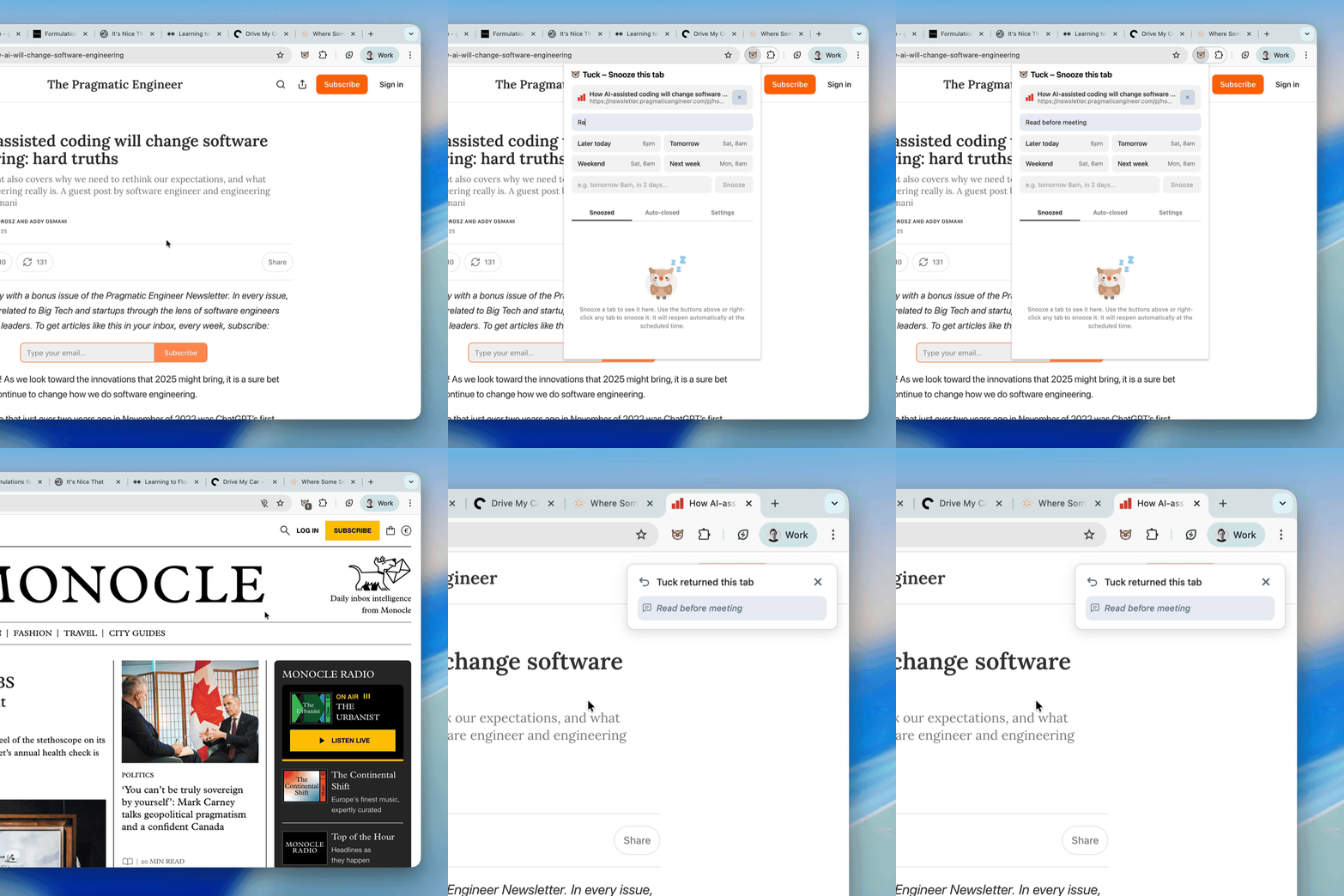
Snooze tabs for later
Pick a preset — later today, tomorrow, the weekend — or type any time in your own words. "In 3 hours." "Friday 9am." "Next Tuesday." The tab closes and reopens exactly when you said.
Add an optional note to remind yourself why. When the tab returns, you'll see a brief notification with the page and whatever you wrote.
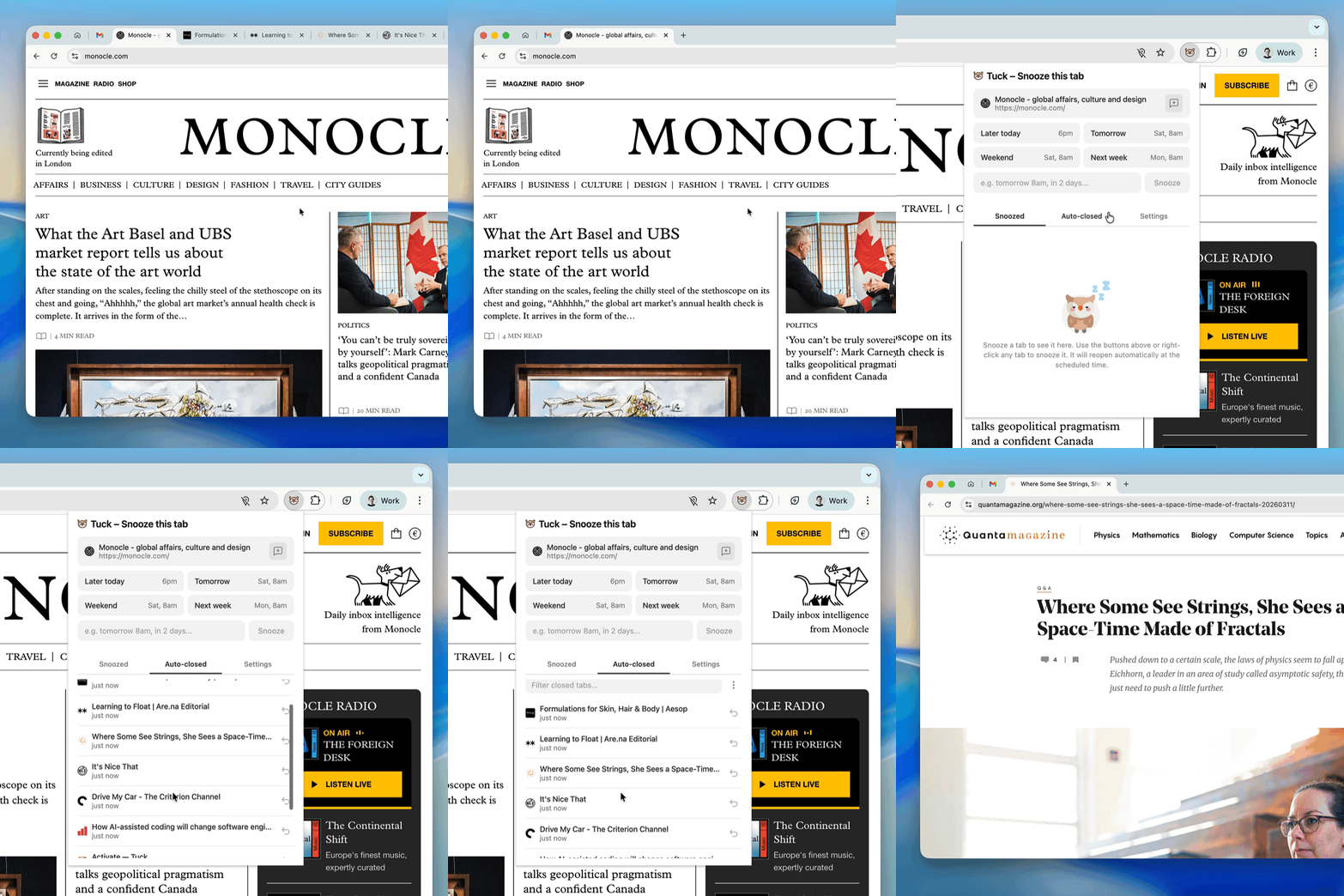
Idle tabs close themselves
Set a threshold — a few hours, a day, a week. Tabs idle for that long quietly close and move to a saved list.
Pinned and grouped tabs are always protected, and you can add domains too — so GitHub, your email, whatever you need open stays open.
Nothing is lost
Every tab Tuck closes is saved. Browse your snoozed and auto-closed tabs in one list. One click to bring anything back.
Nothing leaves your browser
No account required, no cloud syncing, no tracking, no data collection. Everything stays on your device.
Stays out of the way
No dashboards, notifications, or daily digests. Tuck runs quietly in the background. You'll forget it's there until you need it.
Frequently Asked Questions
What happens when a tab is auto-closed?
The tab closes and is saved to your "Auto-closed" list inside Tuck. The page title, URL, and favicon are preserved. Click it once to reopen — if your browser still has the session, you'll even get your scroll position and form data back.
Will Tuck close tabs I'm actively using?
No. Tuck never closes the tab you're currently viewing, any pinned tabs, tabs in groups, or tabs playing audio. You can also whitelist specific domains that should never be touched.
Does the snooze time have to be a preset?
No. You can pick from quick presets (later today, tomorrow, next week) or type a custom time in plain language — "Friday 8am", "in 3 hours", "next Monday". Tuck understands natural language.
Does Tuck sync across devices?
No, and that's by design. Tuck stores everything locally in your browser. Nothing is sent to a server. If you use Tuck on multiple browsers on the same machine, each browser has its own separate data.
Which browsers are supported?
Chrome, Firefox, Edge, and Safari. Any Chromium-based browser (Brave, Arc, Vivaldi, Opera) or Firefox-based browser (Zen, Waterfox) should also work with the Chrome or Firefox version respectively.
I have a problem or feature request
Email hoot@tuckyourtabs.com. Tuck is made by one person, so responses might take a day or two, but every message is read.
Stay in the loop
Get occasional updates about Tuck and new apps from Lumi. No spam.